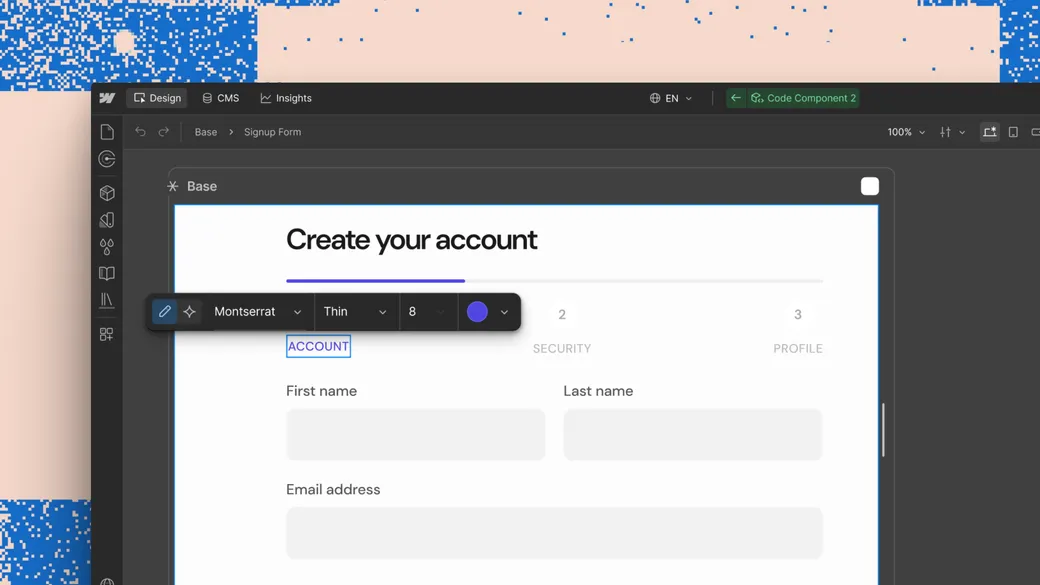
We're introducing visual editing for AI code components, bringing the same direct, on-canvas control to AI-generated elements that Webflow has always given native ones.
This makes it possible to:
- Select any element inside a code component and adjust it in the Style Panel, the same way you'd style any other Webflow element
- Add an element as context in a prompt, so the AI Assistant scopes changes to that element specifically
- Manually edit text on the canvas
AI code components now work like everything else in Webflow. Generate a component, then refine it directly, no prompt required for the small stuff.
| Heading 1 | Heading 2 |
|---|---|
| Text 1 | Text 2 |
| New one | cervf |
Check out our help center article to see how it works